
Tag, Filter, and Find Evidence with Precision Using Custom Metadata
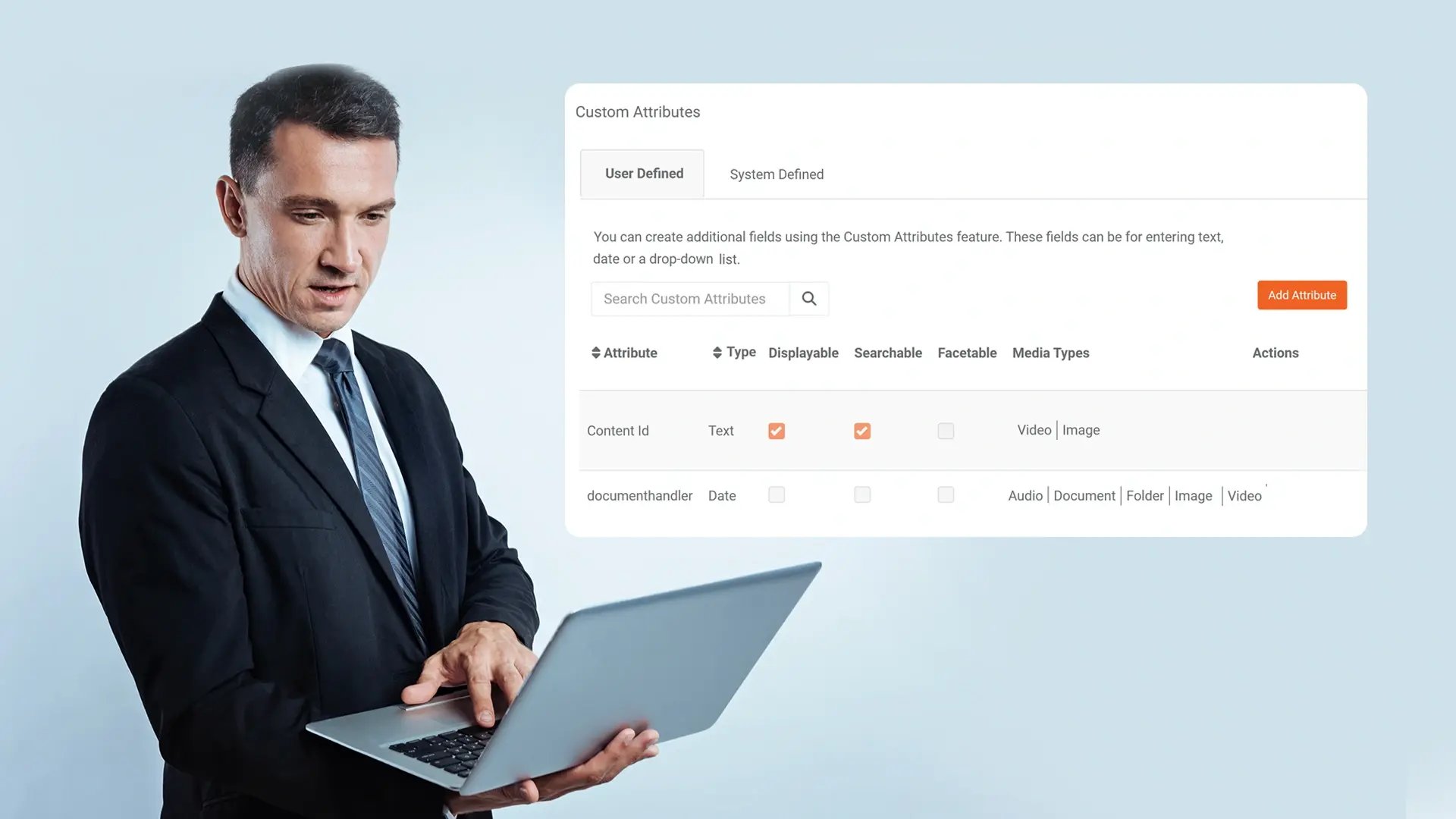
Advance your digital evidence management. Define custom attributes like crime type and badge numbers to tag evidence, creating a powerful, searchable framework that adapts to your investigative workflow.
Custom Attributes
Create tailored metadata fields, such as text, dates, or dropdowns, to capture the specific details relevant to your agency's reporting and case management needs.

Attribute Enforcement & Control
Guarantee data consistency by making attributes mandatory at upload, controlling their visibility in search, and applying them to specific evidence types like video or documents.

Centralized Tag Governance
Define and manage a standardized list of enterprise-wide tags and attributes from an admin console to prevent duplicates and enforce a consistent classification policy.

AI-Enhanced Tagging
Accelerate categorization by combining manual tagging with AI suggestions that automatically propose tags based on evidence content, like detected objects or transcribed speech.
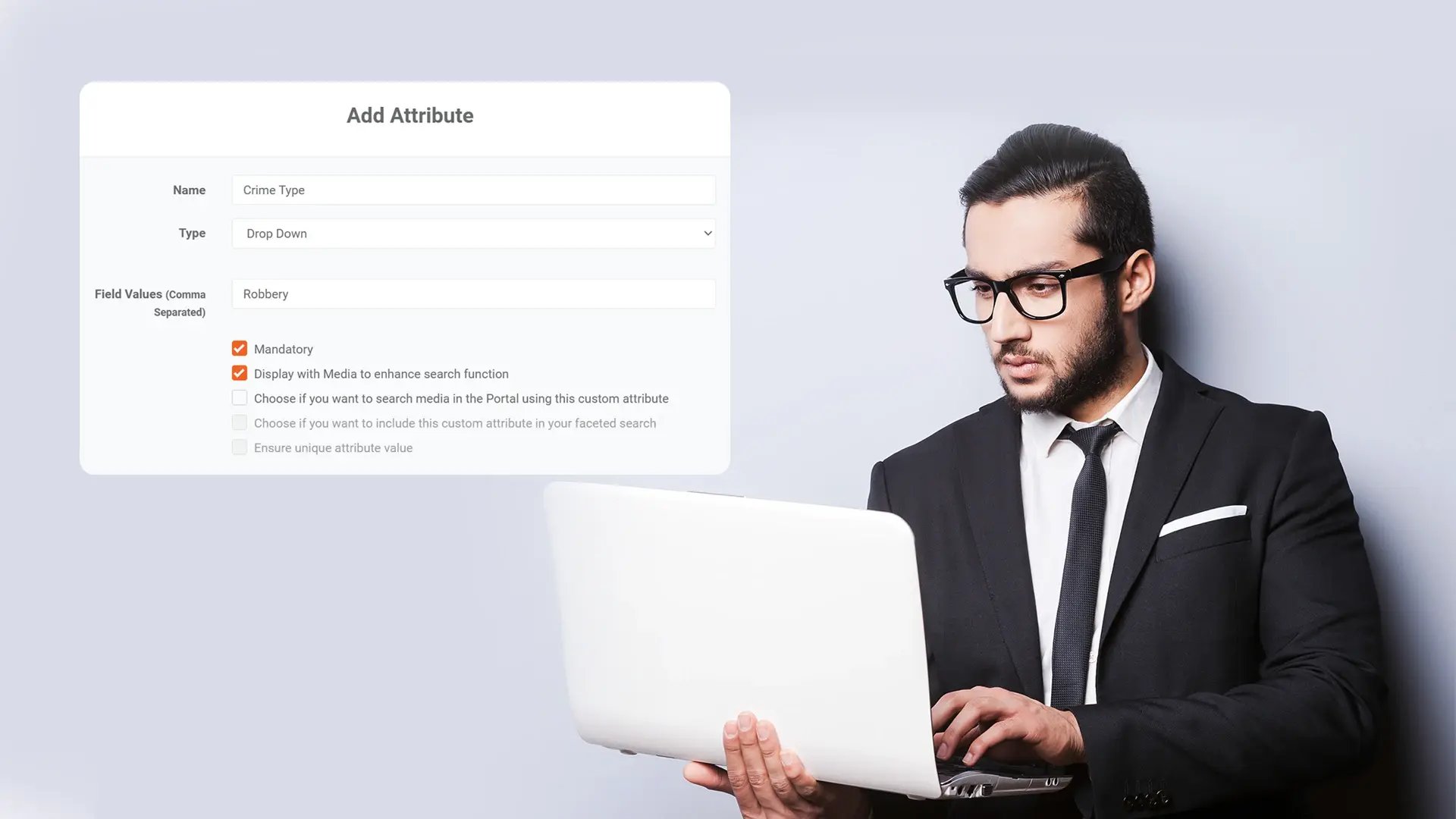
Configure Mandatory & Searchable Fields
Ensure vital evidence details are never missed and are always findable.
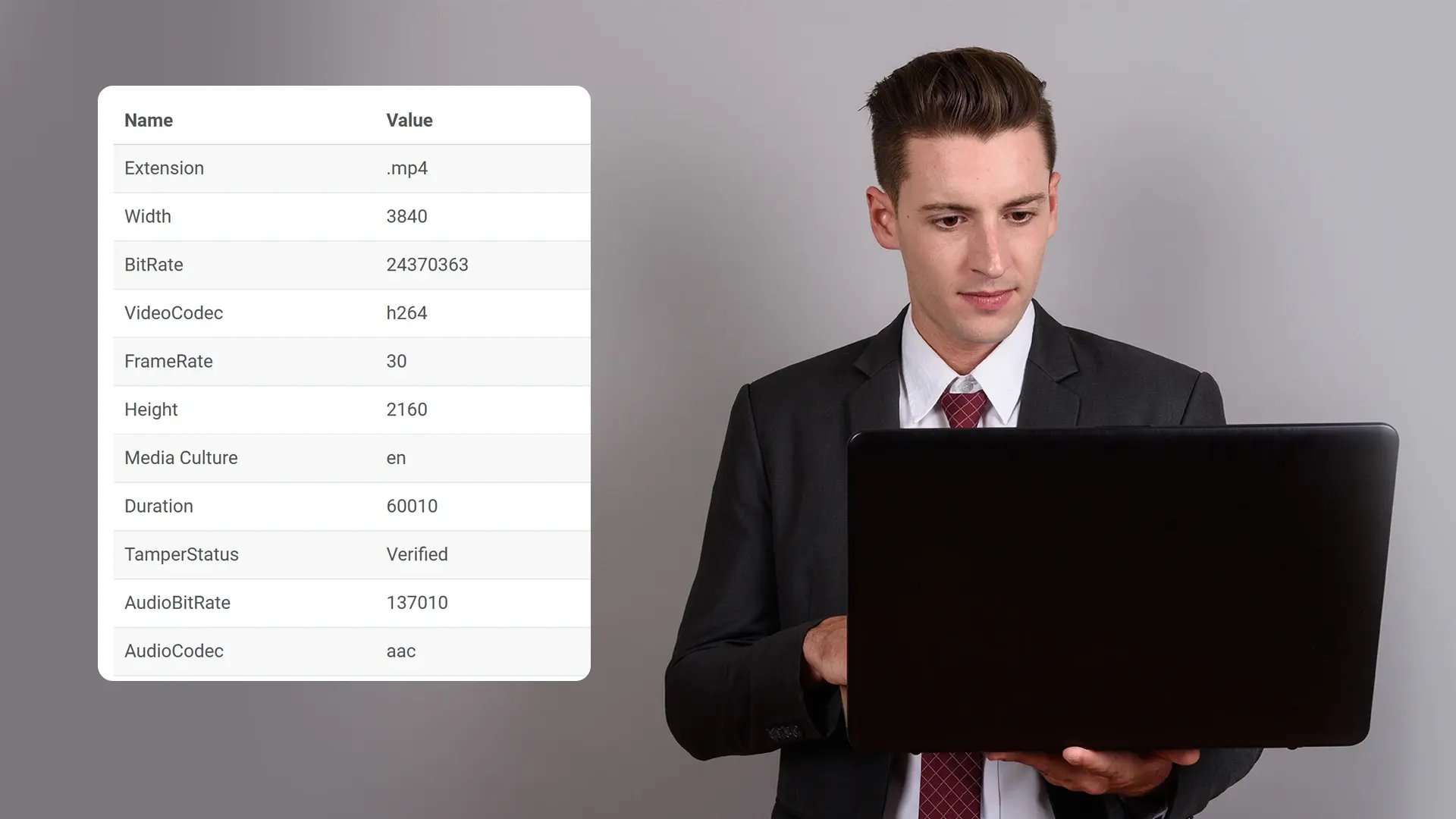
Admins can define which custom attributes are required at upload and configure which ones appear as filters in the search interface, making critical data consistently captured and accessible.
Apply Attributes to Specific Evidence Types
Assign relevant metadata structures to different media.
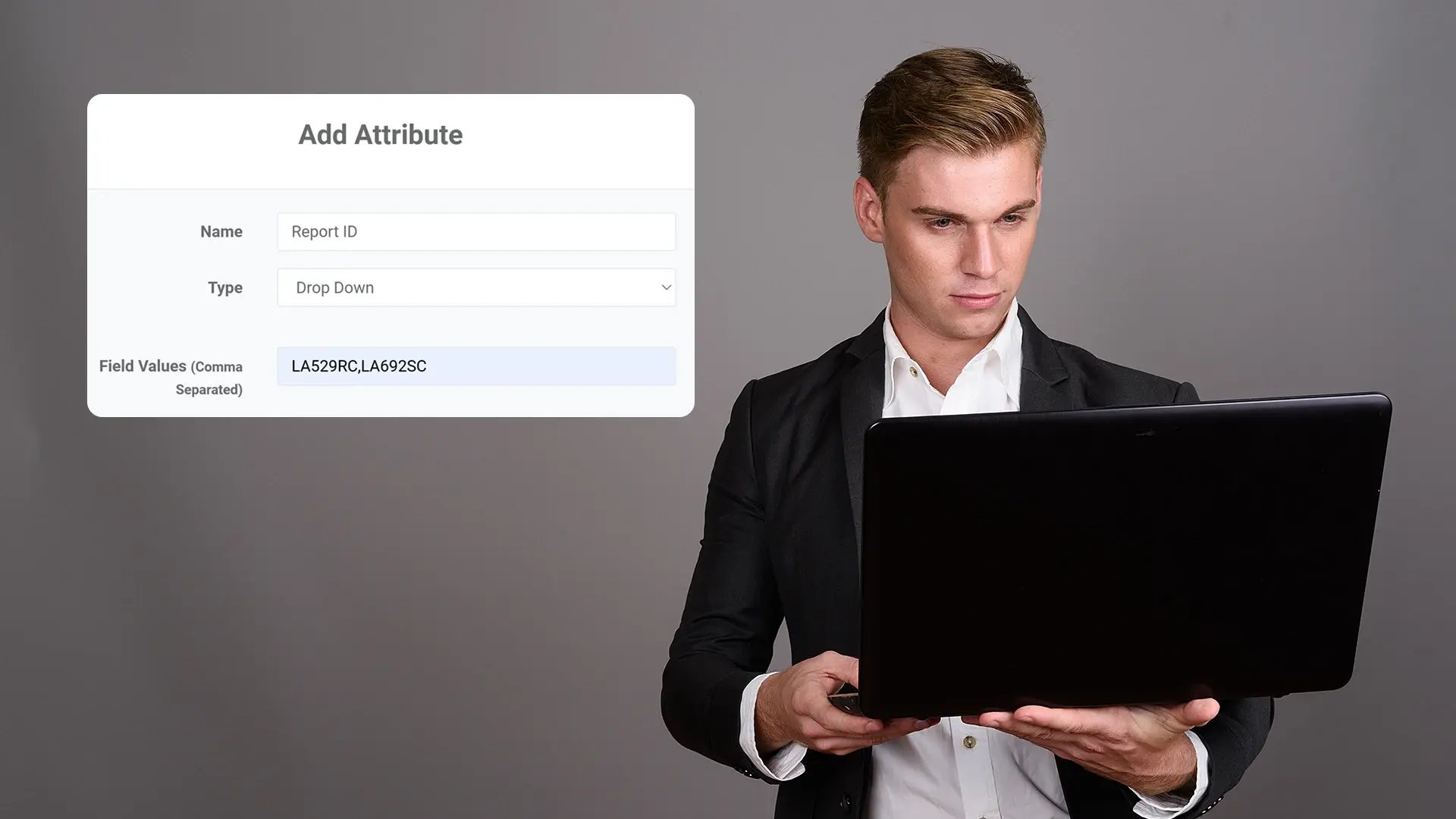
Configure custom fields to appear only for specific content types, like adding a "Dock Number" field to interview room videos or a "Report ID" to documents, keeping the tagging process clean and relevant.
Bulk Edit Metadata Across Files
Update attributes for hundreds of evidence files in one action.
Select multiple files or entire folders to apply, change, or remove custom attribute values in bulk, ensuring mass updates are consistent and saving significant manual effort.
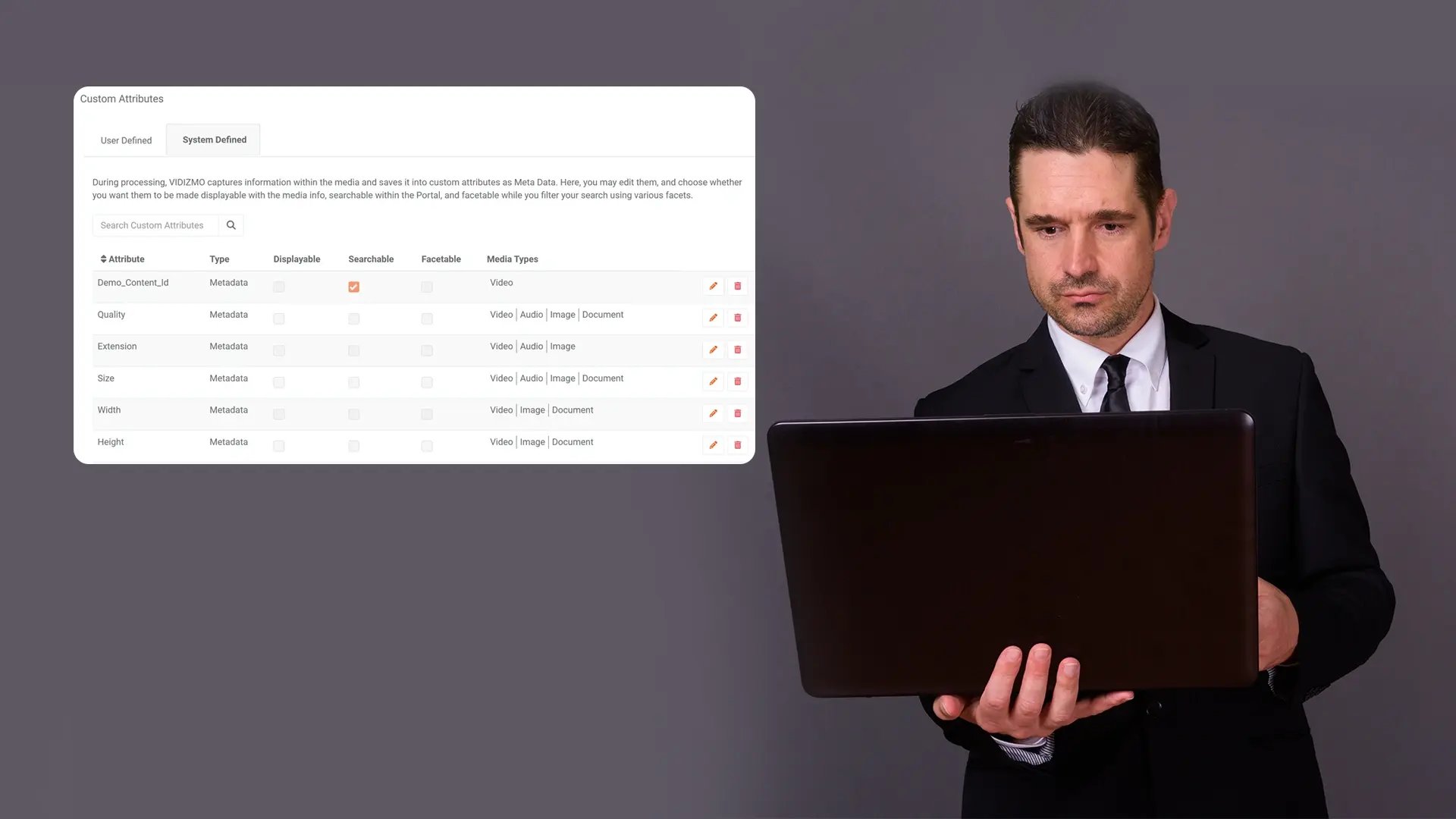
Use Attributes as Powerful Search Filters
Narrow search results instantly using your custom fields.
Find evidence by filtering the values of your custom attributes: like all files tagged with a specific "Crime Type" or "Officer ID"—directly from the main search and discovery interface.
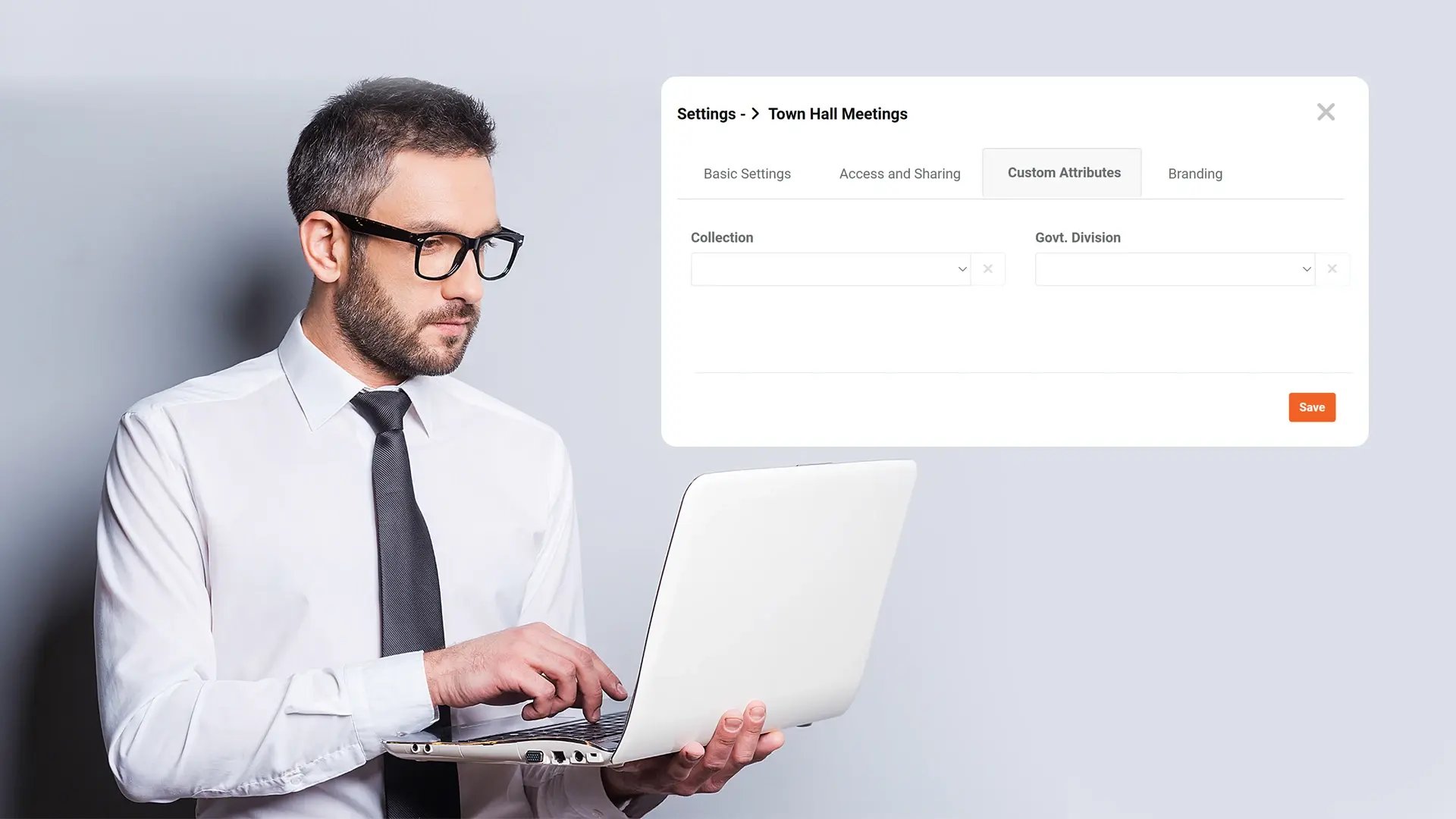
Inherit and Override Folder-Level Attributes
Streamline tagging with smart permission and policy inheritance.
Set default custom attributes at a folder or category level, so all content inside inherits them, while still allowing for specific overrides on individual files when needed.

Collect
Get evidence into your system. Upload files from any device or pull them in automatically from connected sources like bodycams or cloud storage.

Store
Keep all your evidence in one secure, central location. Organize it by case and control who can access it, with protection for sensitive information.

Review & Process
Work with your evidence. Use tools to search, analyze, annotate, and redact videos and documents right within the platform with your team.

Share & Preserve
Close the loop. Share finalized evidence securely with prosecutors or other agencies or archive it to meet long-term legal requirements.
