
Manually Redact Sensitive Evidence with Precision and Control
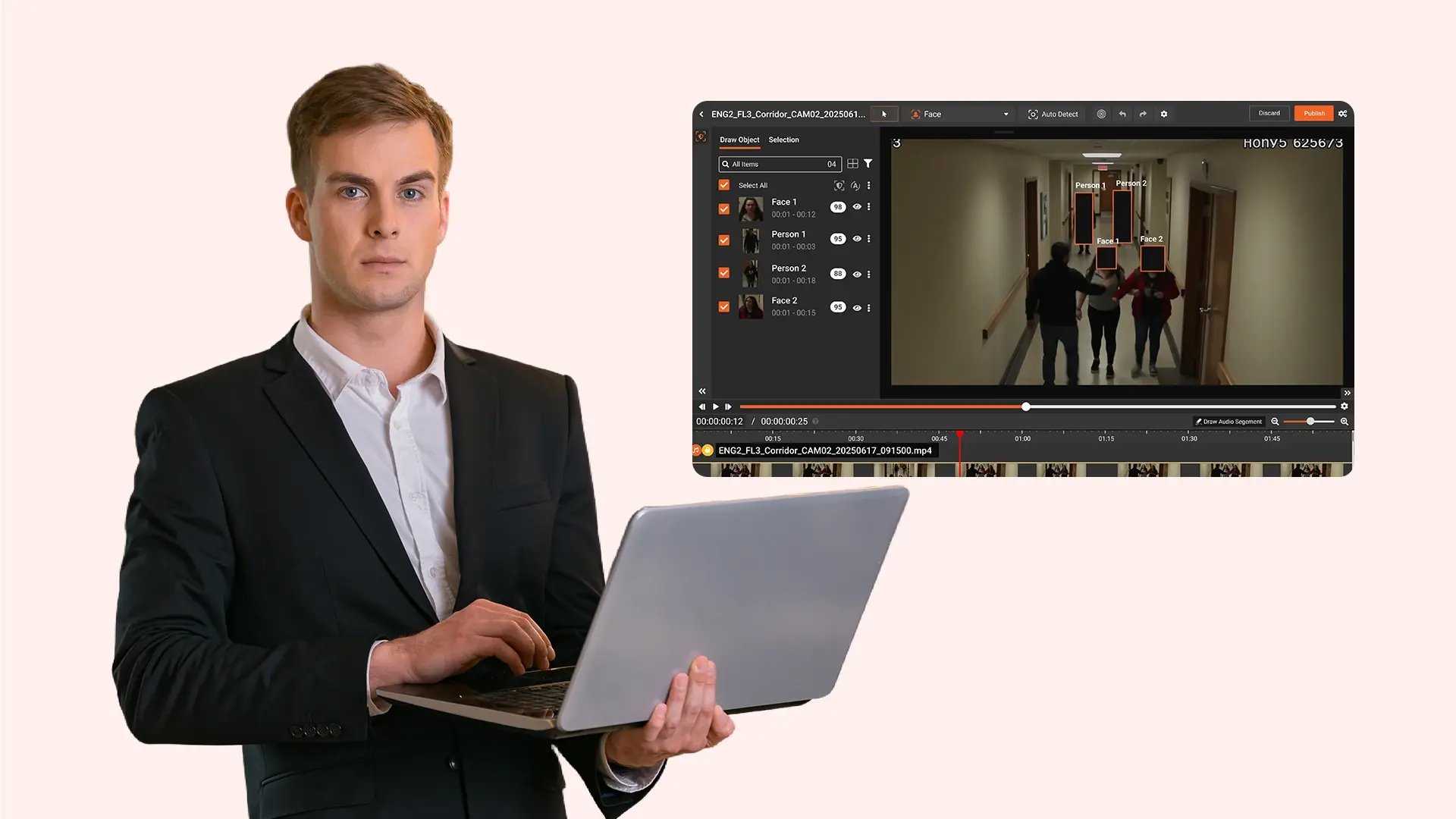
Manually review and redact specific objects, detected faces, audio segments, and transcription content across video, audio, images, and documents. Authorized users select the exact elements to redact, apply configured redaction types, and publish controlled redacted copies with logged activity for defensible evidence handling.
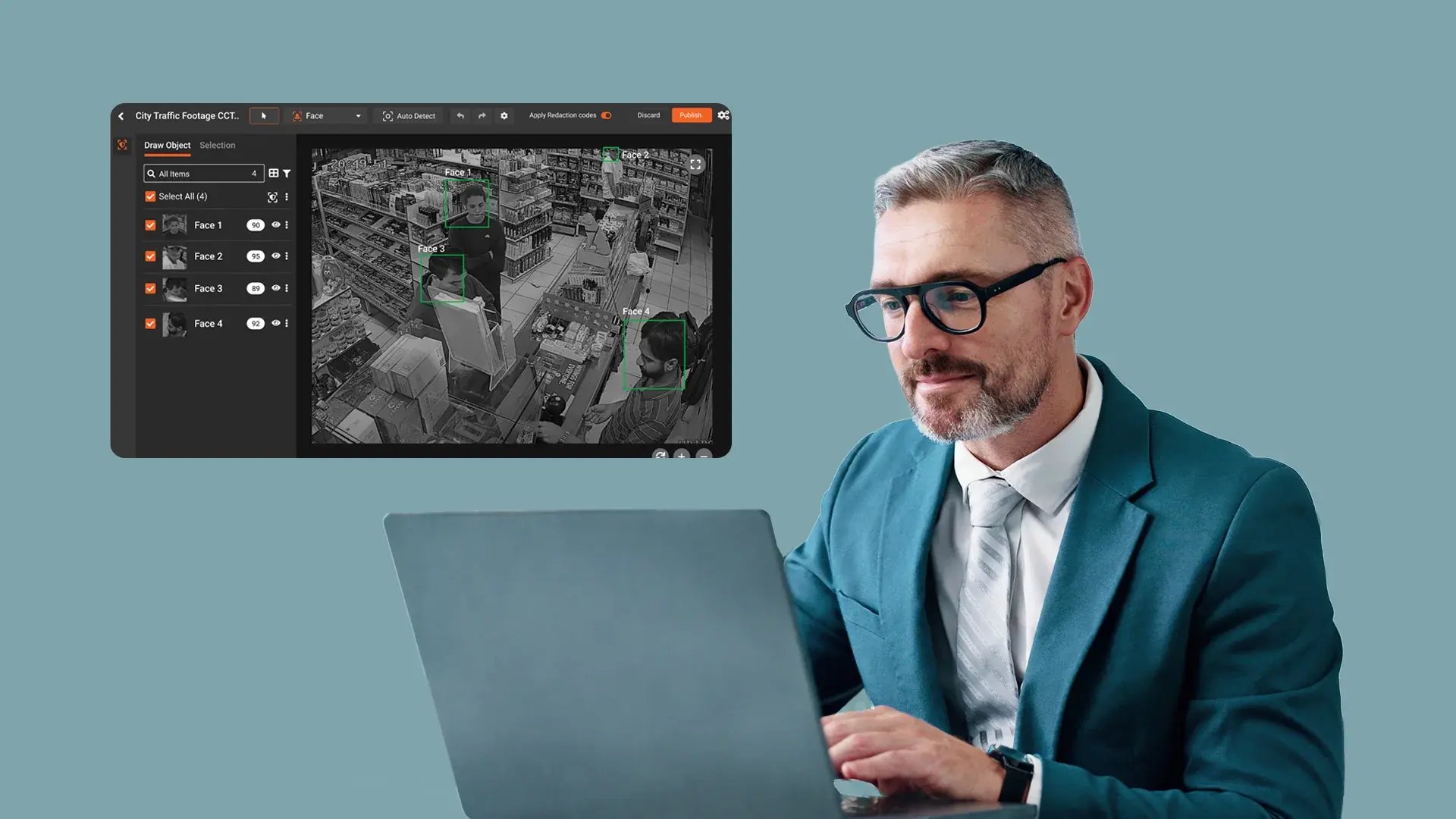
Apply Case-Specific Redaction with Direct User Oversight
Manually apply redaction across video, audio, images, and documents by selecting specific objects, detected faces, OCR-extracted text, transcription content, and other identified elements. Each selection is validated prior to redaction, ensuring deliberate, case-specific control over what is obscured within the evidence record.
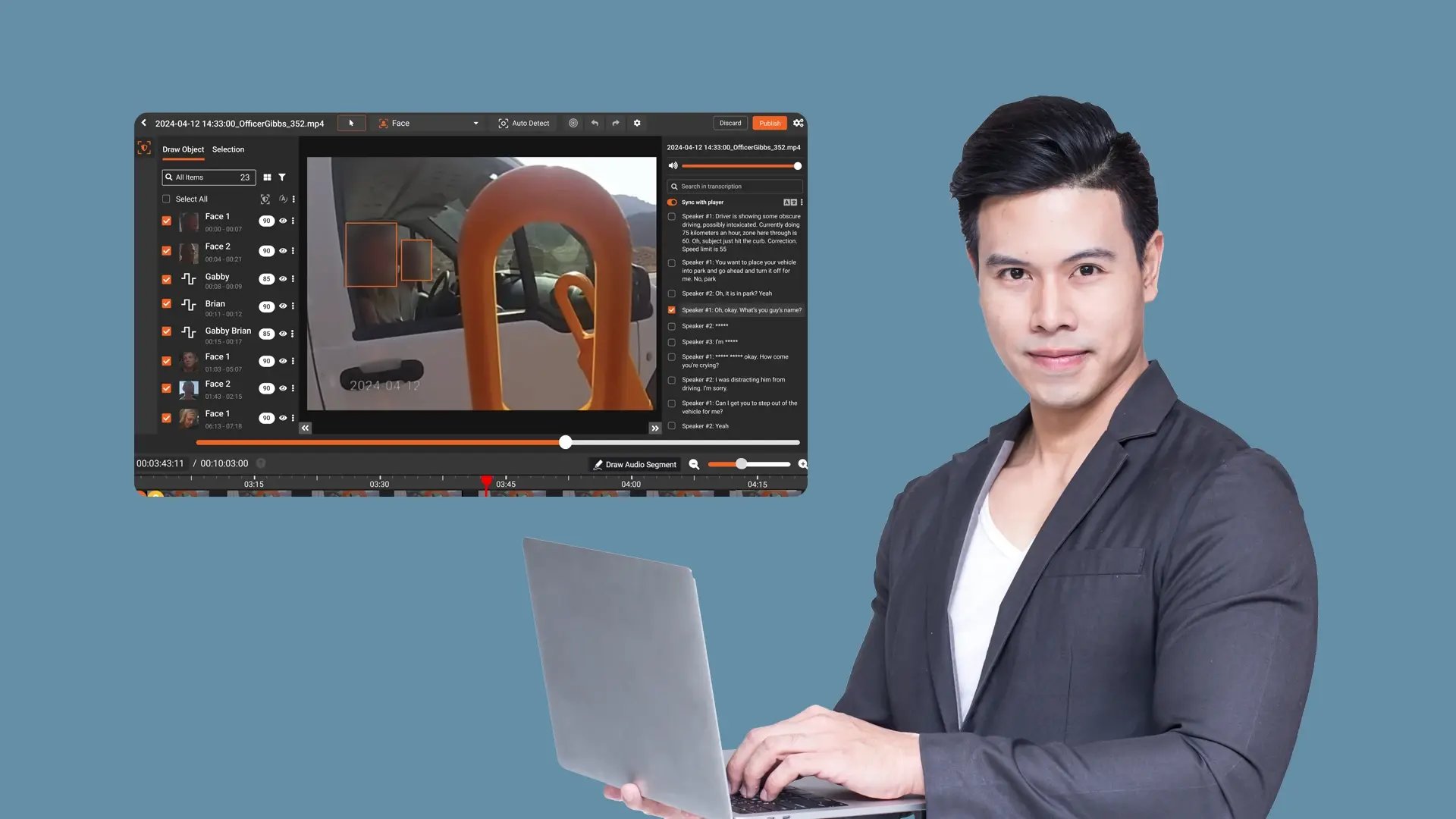
Precisely Redact Transcription Content
Redact individual words or entire sentence segments within audio transcriptions to remove sensitive information while preserving relevant evidentiary context. This supports accurate, content-level redaction aligned with case requirements.
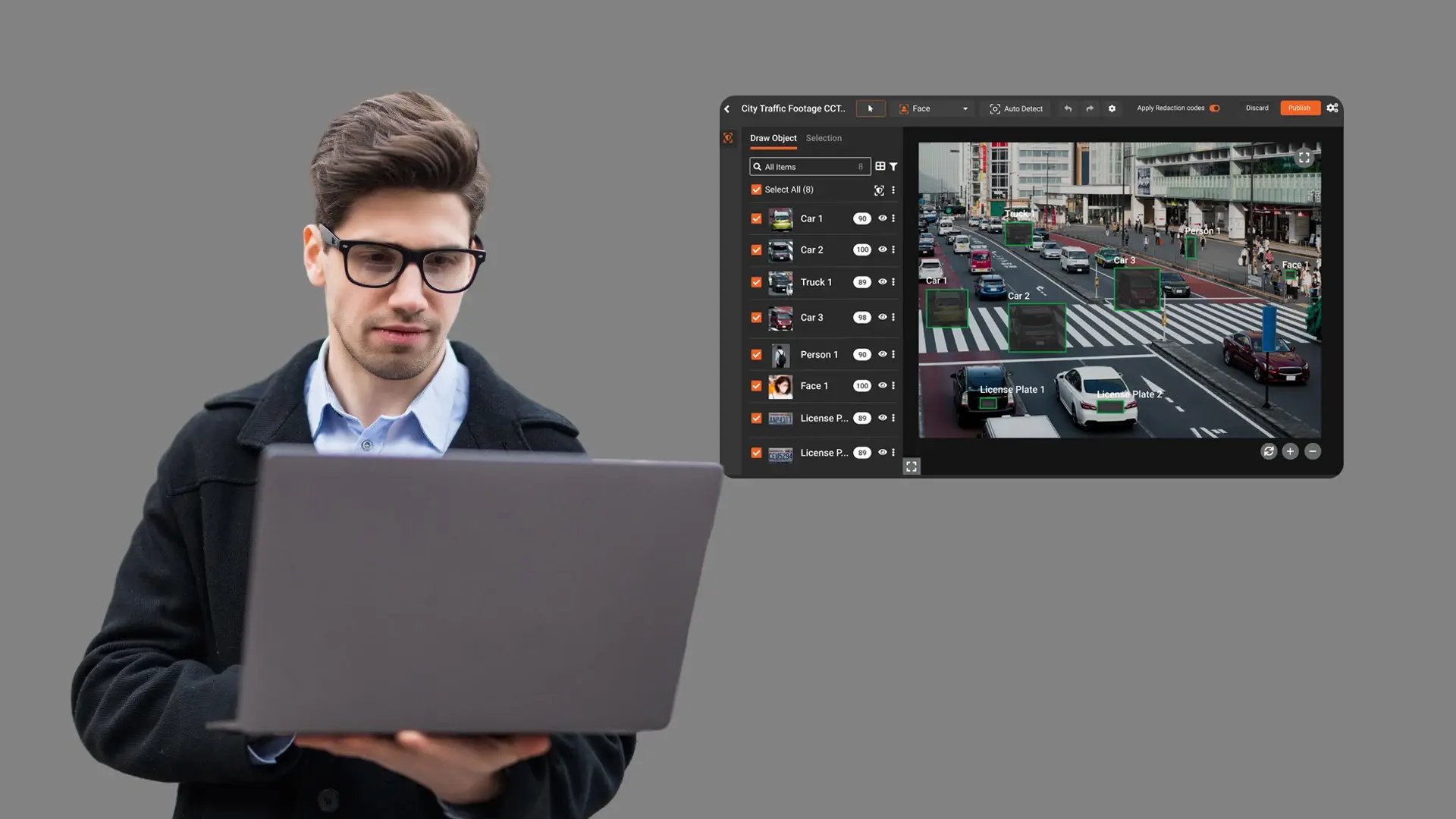
Validate and Control Detected Elements Before Redaction
Review detected objects, faces, and text elements using class-based filtering and confidence score adjustments. Users determine exactly which elements are marked for redaction prior to applying changes.
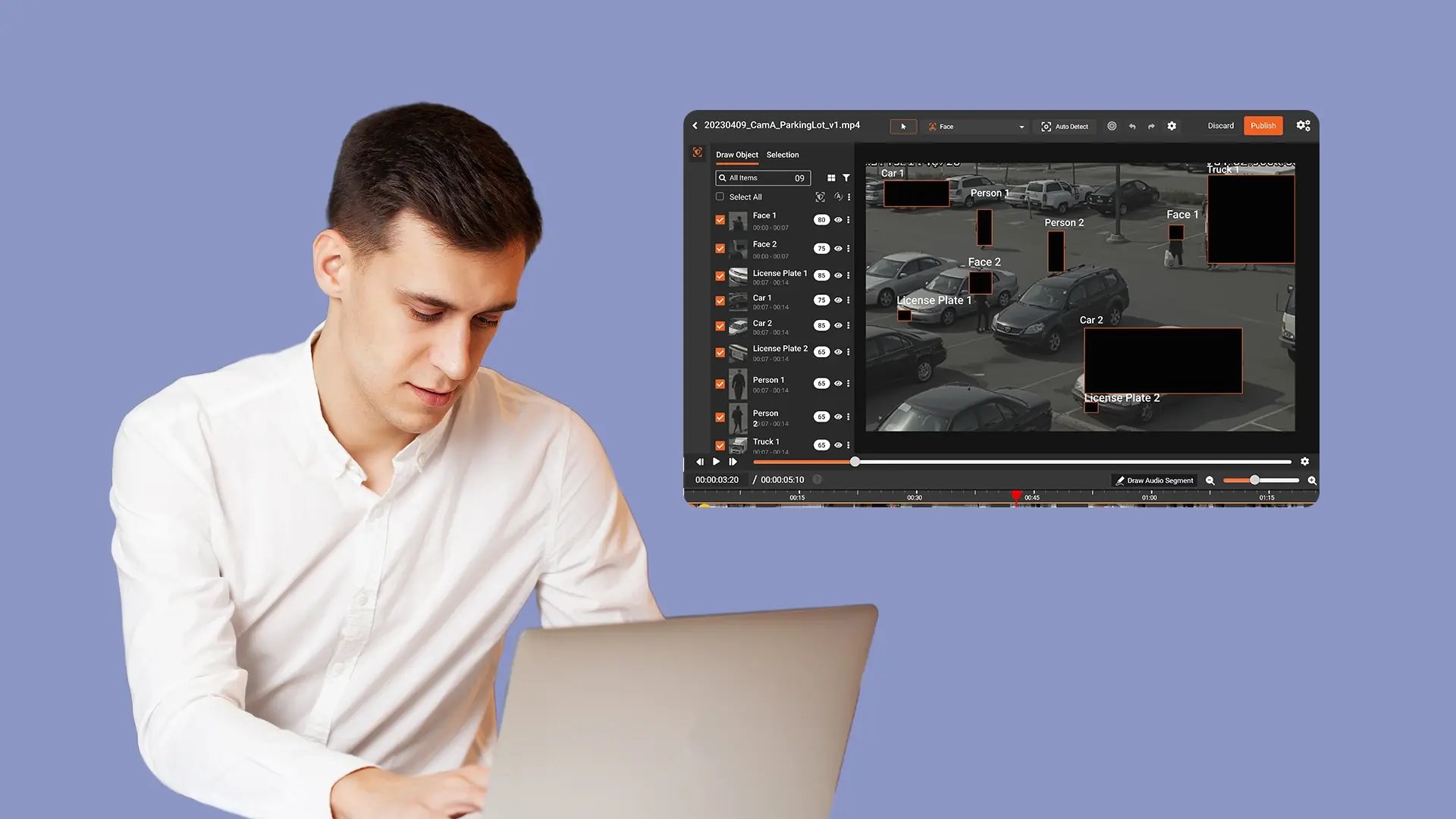
Finalize Manual Redaction with Workflow Traceability
Apply configured redaction types and publish redacted versions to the library through the defined workflow. Logged manual redaction actions support traceability, internal review, and alignment with applicable legal and regulatory compliance requirements.

Collect
Get evidence into your system. Upload files from any device or pull them in automatically from connected sources like bodycams or cloud storage.

Store
Keep all your evidence in one secure, central location. Organize it by case and control who can access it, with protection for sensitive information.

Review & Process
Work with your evidence. Use tools to search, analyze, annotate, and redact videos and documents right within the platform with your team.

Share & Preserve
Close the loop. Share finalized evidence securely with prosecutors or other agencies or archive it to meet long-term legal requirements.
