
By Ali Rind on July 16, 2026
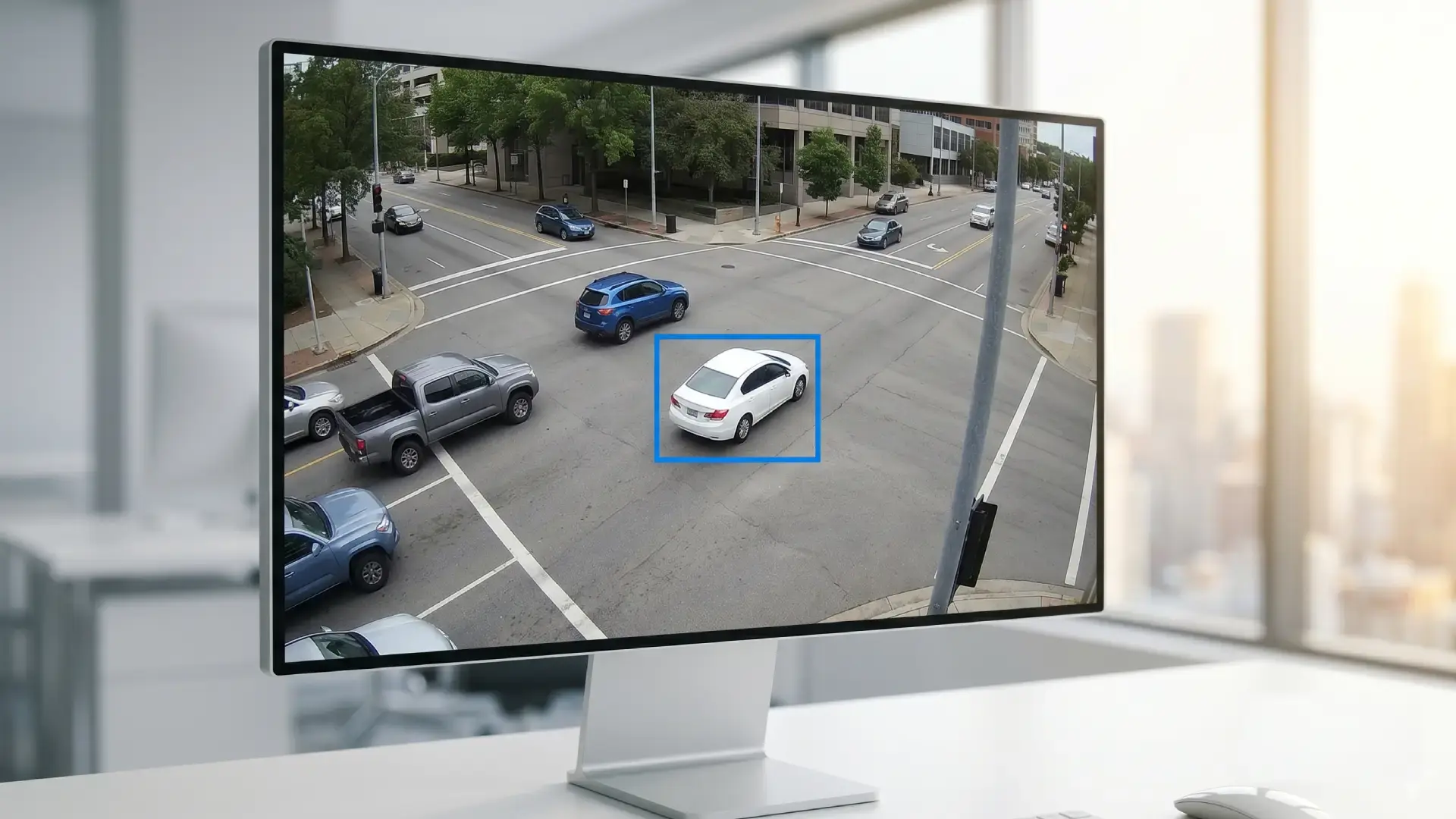
You have been handed 14 hours of CCTV footage from three cameras. Somewhere inside that footage, a specific vehicle appears: a white sedan, partial plate, arriving sometime in the afternoon. You need the timestamp, the camera angle, and a clippable segment admissible in court. Manually, that review takes a full working day at minimum. Errors compound at accelerated playback.
With AI surveillance footage search, it takes minutes.
AI surveillance footage search works by processing video automatically at ingestion: detecting objects such as vehicles, people, and license plates, tagging each one with a timestamp, and indexing everything into a searchable library. Instead of watching footage, a reviewer searches it, by attribute, partial plate, time window, or a plain-language description of the event.
This post explains how each of those capabilities works, walks through a realistic investigation scenario, and covers what legal teams should look for when evaluating a platform. For broader context on how AI is transforming evidence workflows end to end, see our complete guide to AI for digital evidence analysis.
Why Manual Video Review Breaks Down at Scale
Law firms and corporate legal departments are receiving more video evidence than ever. A single civil matter involving a disputed incident may include footage from retail surveillance systems, parking structures, building access cameras, and dashcam recordings spanning multiple cameras across multiple days.
Manual review is linear. Someone has to watch the footage in real time or at accelerated speed. That does not scale, and the failure modes are predictable:
- Missed evidence. Fatigued reviewers miss moments. At 2x speed, a vehicle passing in the background for four seconds is easy to skip.
- Inconsistent standards. Different reviewers applying different attention levels to the same footage produce inconsistent results that opposing counsel can challenge.
- Time cost. Litigation support staff time and attorney billable hours spent on footage review add up quickly on high-volume matters. A 40-hour manual review is not unusual for multi-camera commercial litigation.
- No searchable index. Manually reviewed footage has no structured output. Finding a moment again, or proving you found it, requires watching the same material a second time.
The volume problem only grows as surveillance infrastructure expands. A single corporate campus can generate hundreds of hours of footage from dozens of cameras in a 24-hour window. As our guide on digital evidence management challenges notes, managing and analyzing this data has become one of the most time-consuming parts of any investigation. It is also why law firms are replacing manual video review with AI across litigation workflows, not just one-off matters.
What AI-Powered Event Search Actually Does
AI surveillance footage search solves the linear review problem by processing footage automatically and making the results searchable, the same way a search engine makes a document archive searchable. It does not replace investigative judgment. It removes the bottleneck of manual review so attorneys and investigators can focus on analysis.
Here is how each capability works in plain terms.
Object detection
The AI scans every frame of a video and identifies objects: vehicles, people, faces, license plates, weapons, and more, without a human watching. Each detected object is tagged and indexed with its location in the footage timeline. For a deeper look at how this works technically, see our guide on AI video analysis and object detection. The same capability drives results outside litigation too, as covered in our article on why object detection matters for corporate security investigations.
Attribute filtering
Once objects are detected, results can be narrowed by attribute. For vehicles, that means color, type (sedan, SUV, pickup), or license plate characters. A search for "white sedan" returns only the frames where that specific vehicle type and color were detected.
License plate recognition
The AI reads and indexes license plate characters across all ingested footage, making them searchable like text. A partial plate, even three or four characters, is enough to return matching segments from hours of footage. This works across varying video quality and lighting conditions, though accuracy improves with higher-resolution source footage.
Timestamp indexing
Every detected object and event is automatically timestamped and linked to its position in the footage timeline. There is no manual logging. The timestamp is generated from the original file metadata, not from the review session.
Natural language search
Rather than building a structured query, a user can describe what they are looking for in plain language: "white sedan near the south entrance after 3 pm." The platform's AI assistant surfaces matching segments. The output is a curated set of relevant moments with thumbnails, timestamps, and camera identifiers, not a dump of raw timestamp data. Automated tagging at ingestion makes this possible, because searches run against pre-processed, structured data rather than raw files.
The result is an indexed, searchable evidence library rather than a pile of raw files. For a full breakdown of the AI capabilities a modern evidence platform should include, see our guide on must-have evidence management system capabilities.
A Practical Walkthrough: The Vehicle Search Scenario
Here is how AI surveillance footage search works in a realistic legal context, step by step.
Step 1: Ingest
Footage from a parking structure covering a 48-hour window is uploaded to the evidence platform. The system accepts multiple file formats and automatically begins processing upon ingestion. All evidence is organized in a centralized evidence library from the moment it enters the platform.
Step 2: AI indexing
The platform processes the footage automatically: detecting vehicles, reading license plates, generating timestamps, and indexing all detected objects by type, attribute, and time. No human watches the footage during this step. Processing runs in the background.
Step 3: Search
A litigation support manager or attorney enters a search query: vehicle color, partial plate, and time window. Alternatively, they describe the query in natural language through the AI assistant. The platform returns a filtered list of matching moments with thumbnails, timestamps, and camera identifiers.
Step 4: Review and annotate
Relevant segments are bookmarked and annotated with case notes, then linked to the specific matter in the evidence management system. The reviewer adds context without modifying the original file.
Step 5: Export
The segment is exported with its original metadata intact: file hash, ingestion timestamp, camera identifier, and a chain-of-custody log showing who accessed it, when, and what actions were taken. The exported clip is court-ready.
The full process, from ingestion to a court-ready clip, takes less time than manually reviewing a single hour of footage.
Why Timestamps and Chain of Custody Matter for Admissibility
A video clip is only useful in litigation if it is defensible. Opposing counsel will challenge whether footage has been altered, selectively edited, or presented out of context. AI-processed footage must answer those challenges with documented proof. For the admissibility standards that apply specifically to camera footage, see our guide on CCTV footage as legal evidence.
Original metadata preservation
The platform must retain the original file hash, ingestion timestamp, and camera identifier. These prove the footage has not been modified since it entered the evidence system.
Chain of custody documentation
Every access event, annotation, and export is logged against a specific user, with timestamp and action type. This chain-of-custody record travels with every exported clip. If asked who touched the footage between ingestion and trial, the answer is documented and exportable. Our guide on how to secure digital evidence and maintain chain of custody covers the specific documentation requirements in detail.
Tamper detection
SHA-256 cryptographic hashing verifies that the clip presented in court is identical to the original file. Any modification, even a single frame, changes the hash and flags the file as altered. This is not a policy claim. It is a mathematical proof. For more on how tamper detection protects evidence integrity throughout its lifecycle, see our guide on preventing digital evidence tampering.
WORM-enabled audit logs
The activity logs themselves are stored in tamper-proof storage (Write Once, Read Many). They cannot be deleted or modified after the fact, even by administrators, which makes them credible evidence of the handling process. For a full explanation of why this matters in court, see our article on why digital audit trails matter in evidence management.
What to Look for When Evaluating an AI Evidence Search Platform
Not every platform that claims AI video search delivers the same capability. Legal IT teams and litigation support managers should evaluate the following before committing to a platform:
File format support
Evidence arrives in formats determined by the source device, not by the reviewing team. The platform must natively support footage from CCTV systems, IP cameras, dashcams, mobile devices, and bodycams without requiring manual format conversion.
License plate recognition accuracy
Ask the vendor how the system performs on partial plates, low-resolution footage, and nighttime recordings. Accuracy benchmarks should be available on request, not just marketing claims.
Search latency
For a platform to be useful in active litigation, search results should return in seconds, not minutes. Ask whether the AI indexing happens at ingestion (preferred) or only at the time of search.
Natural language query capability
A platform that requires structured boolean queries puts the burden on the reviewer to know the right syntax. Natural language search, where a user can describe the event in plain English and receive accurate results, is meaningfully more useful for non-technical legal staff.
Deployment flexibility
Law firms handling privileged client data need deployment options that keep that data within their chosen environment. Look for platforms that support on-premises, private cloud, and hybrid models, not SaaS only. For context on why this matters for client data protection, see our articles on secure and scalable digital evidence storage and attorney-client privilege and digital evidence.
Chain of custody integration
AI search results are only defensible if they are produced within a system that maintains an unbroken chain of custody from ingestion through export. The search capability and the evidence governance layer should be part of the same platform, not bolted together from separate tools.
How Digital Evidence Management System Handles This Workflow
VIDIZMO Digital Evidence Management System processes footage automatically at ingestion: detecting vehicles, reading license plates, generating timestamps, and indexing all detected objects into a searchable library. Investigators and legal teams can then search by object type, attribute, or natural language query across their entire evidence library, regardless of how many hours of footage it contains. The platform supports 255+ file formats across video, audio, images, and documents, so footage from CCTV systems, dashcams, bodycams, and mobile devices is searchable without manual conversion.
Every search result links back to the original file with its metadata intact. Exports carry a full chain-of-custody log. Audit trails are stored in WORM-enabled storage and are exportable for court proceedings or bar audits. The platform supports on-premises, private cloud, government cloud, and hybrid deployments for law firms and enterprises with strict data residency requirements.
Book a demo to see the AI video search and license plate detection capabilities in a live environment, or explore DEMS features to begin your evaluation.

People Also Ask
AI finds a specific vehicle by scanning every frame at ingestion, detecting vehicles, and indexing each one by type, color, license plate characters, and timestamp. A reviewer then searches those indexed attributes, or describes the vehicle in plain language, and the platform returns matching segments with thumbnails and camera identifiers instead of requiring manual review.
Yes. AI license plate recognition can match partial plate strings, typically three or more characters, against all indexed footage. Accuracy depends on source video resolution and lighting conditions, and higher-resolution footage produces more reliable matches.
Most enterprise evidence platforms process surveillance footage significantly faster than real time, with exact speed depending on footage volume, resolution, and infrastructure. Because indexing happens at ingestion, search results return in seconds once processing completes, rather than being computed at the time of each query.
AI-processed video evidence is admissible when the platform maintains chain of custody documentation, cryptographic tamper detection, and unmodified original metadata. The AI analysis augments the original file rather than replacing it, and courts assess admissibility based on how the original evidence was handled, not on whether AI was used to search it.
Manual review is linear, meaning a person watches footage in real time or at accelerated speed. AI video search indexes footage automatically at ingestion, making specific moments searchable by object, attribute, timestamp, or natural language query. The practical difference is hours of review time reduced to minutes of targeted search.
Legal teams should prioritize native file format support, license plate recognition accuracy benchmarks, search latency, natural language query capability, deployment flexibility for client data protection, and chain-of-custody integration within the same platform rather than across separate tools.
About the Author

Jump to

How Law Firms Use AI to Replace Manual Video Review in Litigation

CCTV Footage as Legal Evidence: Management, Search, and Admissibility


No Comments Yet
Let us know what you think